Clients2 min read
Joining a video session
For clients: how to join your online session from a phone or a laptop, with nothing to install.
- 01
Find your link
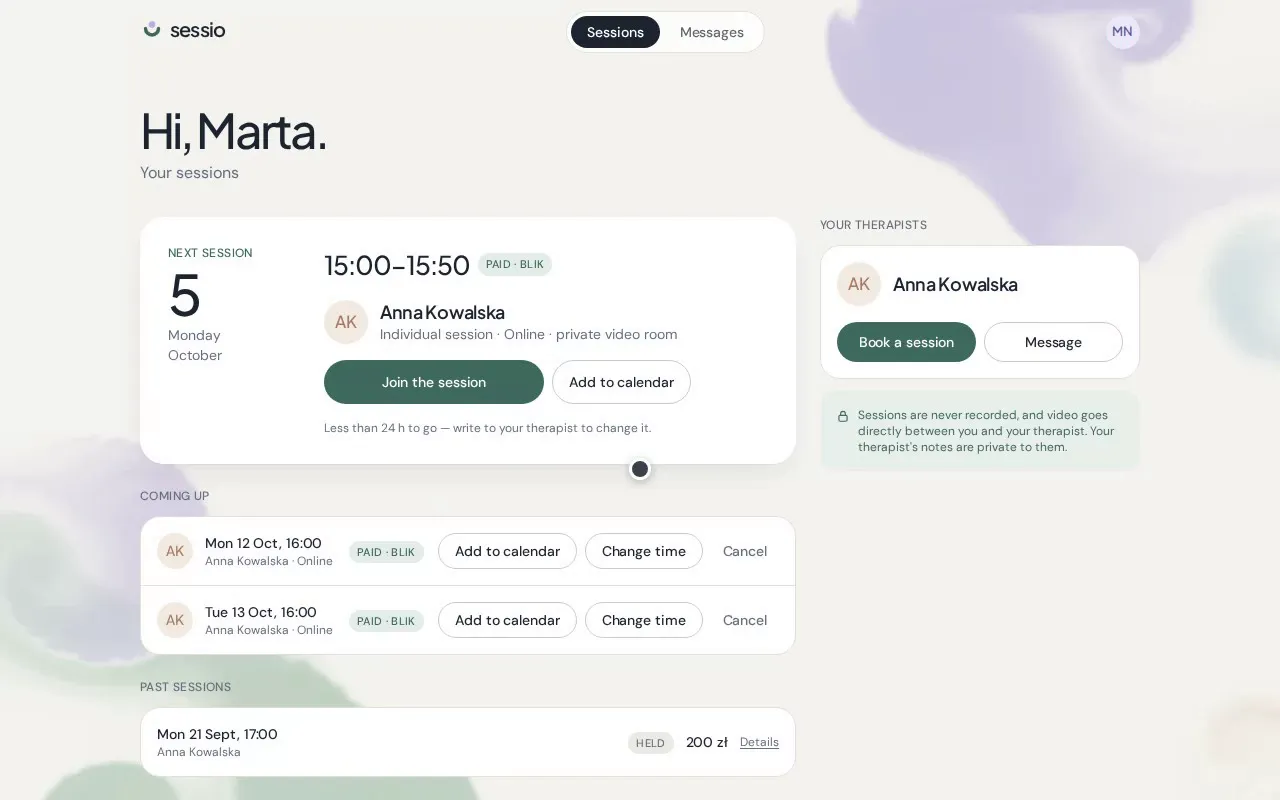
The video link is in your confirmation email, in the calendar invite and in the reminder you get the day before. It's also on your session in the client portal.
- 02
Open it ten minutes early
The Join button unlocks 10 minutes before the session. Use a recent Chrome, Safari, Edge or Firefox — there's no app to install.
- 03
Allow camera and microphone
Your browser will ask for permission. If you said no by accident, allow access in the browser settings and reload the page.
- 04
Check yourself, then join
You'll see a preview of your camera. When you're ready, press Join — your therapist joins from their side.